VLC
Advertisement
Apps Overview
VLC APK is a free and open-source Android media player that supports all video and audio formats, network streaming, subtitles, and advanced playback features.
Table of Contents
VLC APK – The Ultimate Free Multimedia Player for Android
VLC APK is the Android version of the legendary VLC Media Player, a free and open-source multimedia solution trusted by millions of users worldwide. Designed to deliver seamless audio and video playback across nearly every existing format, VLC APK stands out as one of the most powerful and reliable media players available on the Android platform today.
Built on the same core philosophy as the desktop version, VLC for Android offers unrestricted access to media playback without advertisements, hidden fees, in-app purchases, or invasive tracking. Developed by passionate volunteers, VLC remains fully transparent with its source code openly available, reinforcing its reputation as a safe and user-focused application.
What Makes VLC APK So Popular?
VLC APK has earned its popularity thanks to its unmatched versatility. Unlike many media players that require additional codecs or plugins, VLC includes everything out of the box. Users can play almost any video or audio file without worrying about compatibility issues.
From casual users watching movies on their phones to advanced users streaming network content, VLC APK adapts effortlessly to different needs. Its lightweight design, combined with powerful features, ensures smooth performance even on older Android devices.
Cross-Platform Power Brought to Android
VLC Media Player has long been a dominant name on desktop platforms such as Windows, macOS, and Linux. The Android version successfully brings that same stability and functionality to mobile devices.
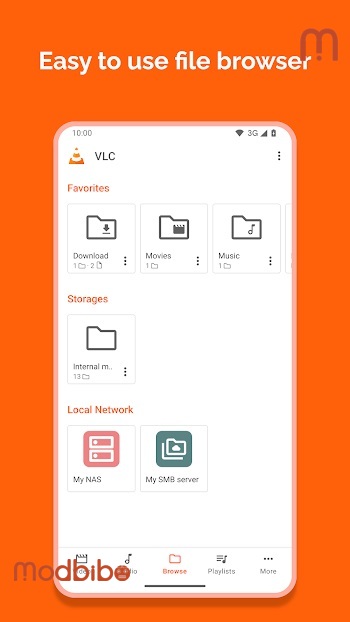
VLC APK supports local media files, external storage devices, network streams, shared drives, and even DVD ISO images. This makes it an ideal solution for users who manage large media libraries or frequently access content from multiple sources.
Advertisement
Comprehensive Video Playback Capabilities
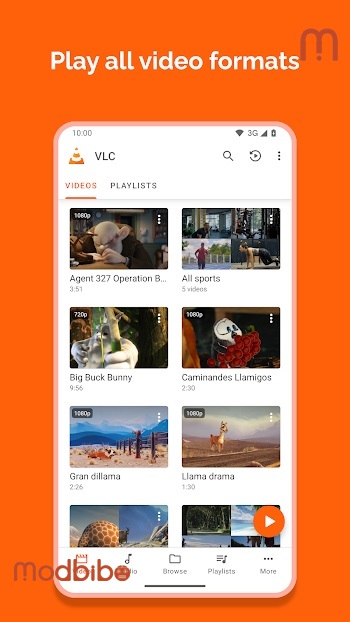
VLC APK supports a vast range of video formats, including but not limited to MKV, MP4, AVI, MOV, FLV, TS, M2TS, and Ogg. Whether you are watching high-definition movies, recorded TV shows, or downloaded clips, VLC handles them effortlessly.
Advanced video playback features include:
-
Automatic screen rotation
-
Aspect ratio adjustments
-
Gesture-based controls for brightness, volume, and seeking
-
Support for adaptive streaming formats
These features combine to create a smooth and immersive viewing experience, regardless of content type or screen size.
Advanced Audio Player with Full Media Library
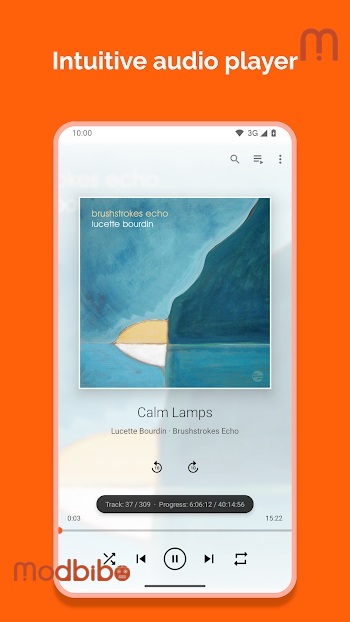
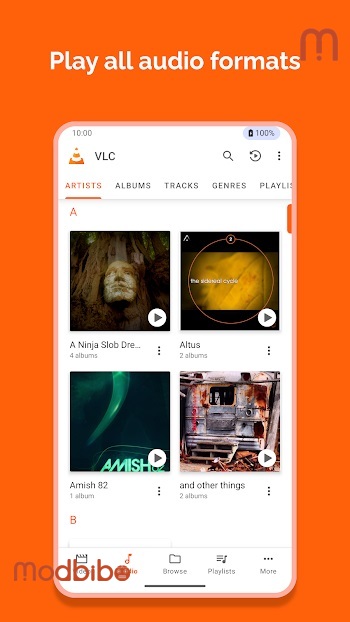
Beyond video playback, VLC APK is also a full-featured audio player. It supports a wide variety of audio formats such as MP3, AAC, FLAC, WAV, OGG, Wv, and many other less common formats that most players fail to recognize.
The built-in audio media library allows users to organize music efficiently, browse by album, artist, genre, or folder, and enjoy high-quality playback without compression issues.
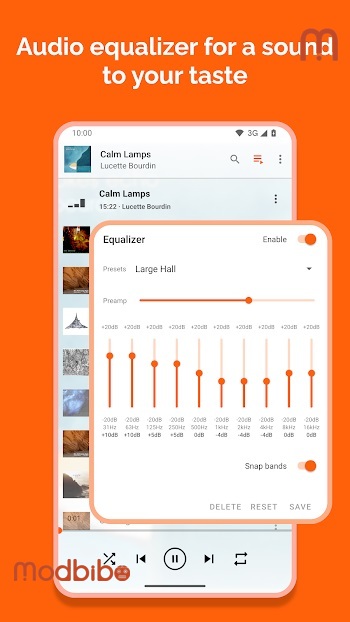
The integrated equalizer and audio filters enable users to fine-tune sound output to match their preferences, making VLC APK suitable for both casual listening and audiophile-level customization.
Subtitle and Multi-Track Support
One of VLC APK’s strongest advantages is its extensive subtitle support. It can handle external subtitle files as well as embedded subtitles in multiple formats. Closed captions, Teletext, and synchronized subtitles are all supported, ensuring accessibility for a global audience.
Additionally, VLC APK supports multi-audio tracks, allowing users to switch between languages or commentary tracks with ease. This feature is particularly valuable for international films, TV series, and educational content.
Network Streaming and Media Sharing
VLC APK goes beyond local playback by offering powerful network streaming capabilities. Users can stream content over local networks or the internet using a variety of protocols. This includes adaptive streaming, ensuring stable playback even with fluctuating network conditions.
The app also supports shared drives and network media access, making it easy to browse and play files stored on other devices within the same network. This functionality transforms VLC APK into a central hub for all your multimedia needs.
Folder Browsing for Maximum Control
Unlike many modern media players that rely solely on automated libraries, VLC APK allows direct folder browsing. This gives users complete control over how they access and manage their media files.
Folder browsing is especially useful for users who prefer structured file management or store content on external SD cards and USB devices.
Intuitive User Interface and Gesture Controls
VLC APK features a clean and intuitive interface designed for ease of use. Navigation is straightforward, with clearly labeled sections for video, audio, browsing, and network streams.
Advertisement
Gesture controls enhance usability by allowing users to adjust playback settings with simple swipes. Brightness, volume, and timeline seeking can all be controlled without cluttering the screen with buttons, providing a modern and immersive experience.
Built-In Audio Widget and Headset Support
The application includes an audio widget that enables quick access to playback controls directly from the home screen. This is particularly convenient for users who frequently listen to music or podcasts.
VLC APK also supports audio headset controls, album artwork display, and background playback, ensuring a seamless audio experience whether the app is in use or running in the background.
Privacy, Security, and Open-Source Commitment
One of the most compelling reasons to choose VLC APK is its strong commitment to user privacy. The application contains no advertisements, no tracking mechanisms, and no spyware.
As an open-source project, VLC allows developers and users to review its code freely. This transparency builds trust and ensures that the app remains secure, ethical, and community-driven.
Lightweight Yet Powerful Performance
Despite its extensive feature set, VLC APK remains lightweight and efficient. It performs smoothly across a wide range of Android devices, from high-end smartphones to older models with limited hardware resources.
Optimized decoding and efficient resource management ensure minimal battery consumption while maintaining high playback quality.
Ideal for All Types of Users
VLC APK is designed for everyone. Beginners appreciate its simplicity and automatic format recognition, while advanced users value its customization options and technical capabilities.
Whether you are watching movies, listening to music, streaming online content, or managing a large media library, VLC APK delivers a reliable and enjoyable experience without compromise.
Why VLC APK Remains a Top Choice
In a crowded market of media players filled with ads, subscriptions, and limitations, VLC APK continues to stand out as a truly free and unrestricted solution. Its ability to handle nearly every media format, combined with advanced playback tools and a strong privacy-first approach, makes it one of the best multimedia players available for Android.
VLC APK is more than just an app; it is a complete multimedia ecosystem built on trust, performance, and freedom. For users seeking a dependable and powerful media player without hidden costs or compromises, VLC APK remains an unmatched choice.